What to post on Instagram as a beauty professional: a simple Canva plan
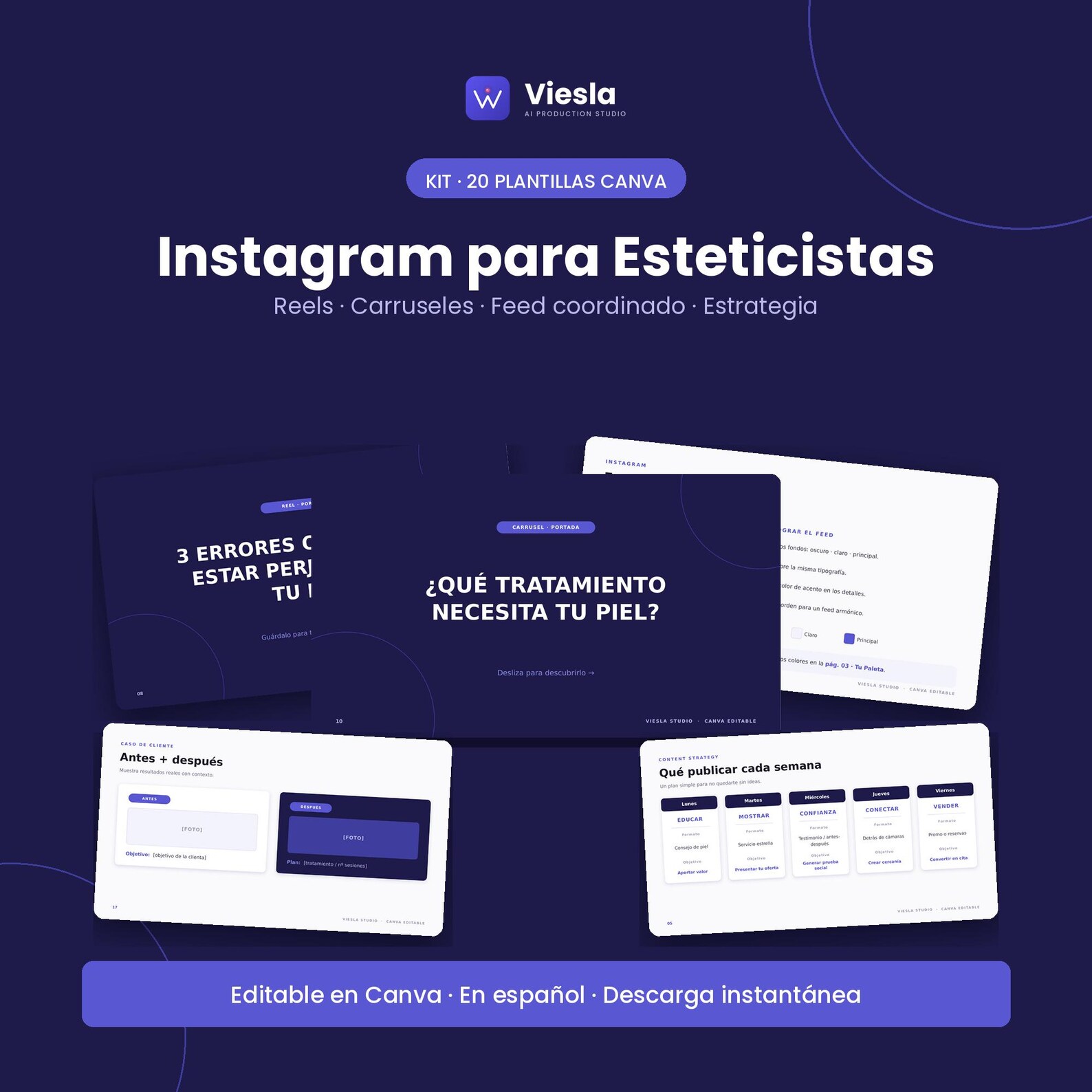
A Viesla Studio resource. This article presents a product from our own Etsy shop.
Opening Instagram without a plan often means repeating an offer or postponing posting. A small calendar, with a purpose for each post, can make communication easier. Rather than inventing a campaign every week, explain what you do and make the next step clear.
Start with three content goals
Before choosing colours, decide what a prospective client should understand. Alternate service explanations, common questions and how to check availability. Promotions have more context when the rest of your profile already explains whom you help and how you work.
- Guide: answer a question you regularly hear.
- Present: explain a service, its contents and its audience.
- Invite: show where to ask questions or request an appointment.
A sample week to adapt
This is a starting point, not a required frequency or a promise of reach.
- Monday: share a visit-preparation tip, keeping guidance general and within your professional scope.
- Wednesday: explain a service in a three-step carousel ending with an invitation to enquire.
- Friday: publish real availability or a genuine promotion with clear conditions.
Obtain permission for before-and-after images or testimonials, preserve context and do not imply that one person’s result is guaranteed for everyone.
Keep a consistent look
Choose a small brand palette, two text styles and a recognisable closing layout. Change the content rather than redesigning everything. Before export, check the headline, service details and call to action on mobile. Replace sample copy and images with your business information.
What Viesla Studio’s 20-template kit includes
The Instagram Kit for Beauty Professionals contains 20 editable pages in Spanish: a mini brand board, palette, coordinated nine-post feed, weekly content guidance, calendar, bio template, two Reel covers and resources for carousels, tips, testimonials and promotions.
You receive a starter PDF and PPTX file. Import the PPTX into Canva, review the pages and customise copy, colours and images. The listing states that Canva Free is sufficient. It is a design foundation: you choose the message, prepare the photographs and publish.
View the 20 Instagram templates on Etsy ↗
When to choose a broader system
If you only need to organise Instagram, this kit focuses on that task. For WhatsApp, bookings and follow-up materials, see the Beauty Business System client journey. The 58-page system includes the Instagram kit; check contents before buying both.
Before your next post
Make sure the service is understandable, conditions are accurate and the contact channel or link works. A template supports presentation; message clarity still depends on your writing.
Digital product: no physical item is shipped. Check the current contents, requirements, price and licence on Etsy before purchasing.